Top Tools for Multi-Modal Data Labeling
· Data Annotation
Overview of top multi-modal labeling platforms—supported modalities, AI-assisted tools, collaboration features, and pricing to help teams choose the right solution.
Top Tools for Multi-Modal Data Labeling
When working with multi-modal data - like text, images, videos, audio, and sensor inputs - choosing the right labeling tool is critical. These platforms are designed to streamline the annotation process, improve data quality, and support modern AI models like GPT-4o, Gemini, and Llama 3.2 Vision. Below are highlights of the top tools for multi-modal data labeling, detailing their key features, capabilities, and pricing:
- Labelbox: Supports diverse data types, offers model-assisted labeling, and features tools like Multimodal Chat editor and Foundry for automation. Free for small teams, with paid tiers for advanced features.
- SuperAnnotate: Known for fast annotation speeds (up to 32x faster), it supports RLHF, SFT, and advanced automation tools like Magic Select and Autotrack. Offers custom pricing for Starter, Pro, and Enterprise plans.
- Encord: A video-first platform supporting multiple data types, with AI-driven tools like SAM 2 and active learning. Free tier available, with scalable Team and Enterprise plans.
- CVAT: Open-source tool focused on visual data (images, videos, 3D). Includes AI-assisted labeling and flexible pricing starting at $33/month.
- V7 (Darwin): Ideal for medical and video projects, with advanced automation and compliance certifications. Pricing is usage-based with free, business, and enterprise tiers.
- BasicAI: Handles large datasets and offers auto-labeling for 2D/3D data. Free plan available, with scalable paid options.
- Kili: Supports RLHF, active learning, and team collaboration tools. Free Starter plan, with Pro and Enterprise tiers starting at $9/month.
- Dataloop: Offers multi-sensor fusion and active learning. Pricing is custom, depending on project needs.
- Supervisely: Supports a wide range of data types and offers modular pricing starting at €199/month.
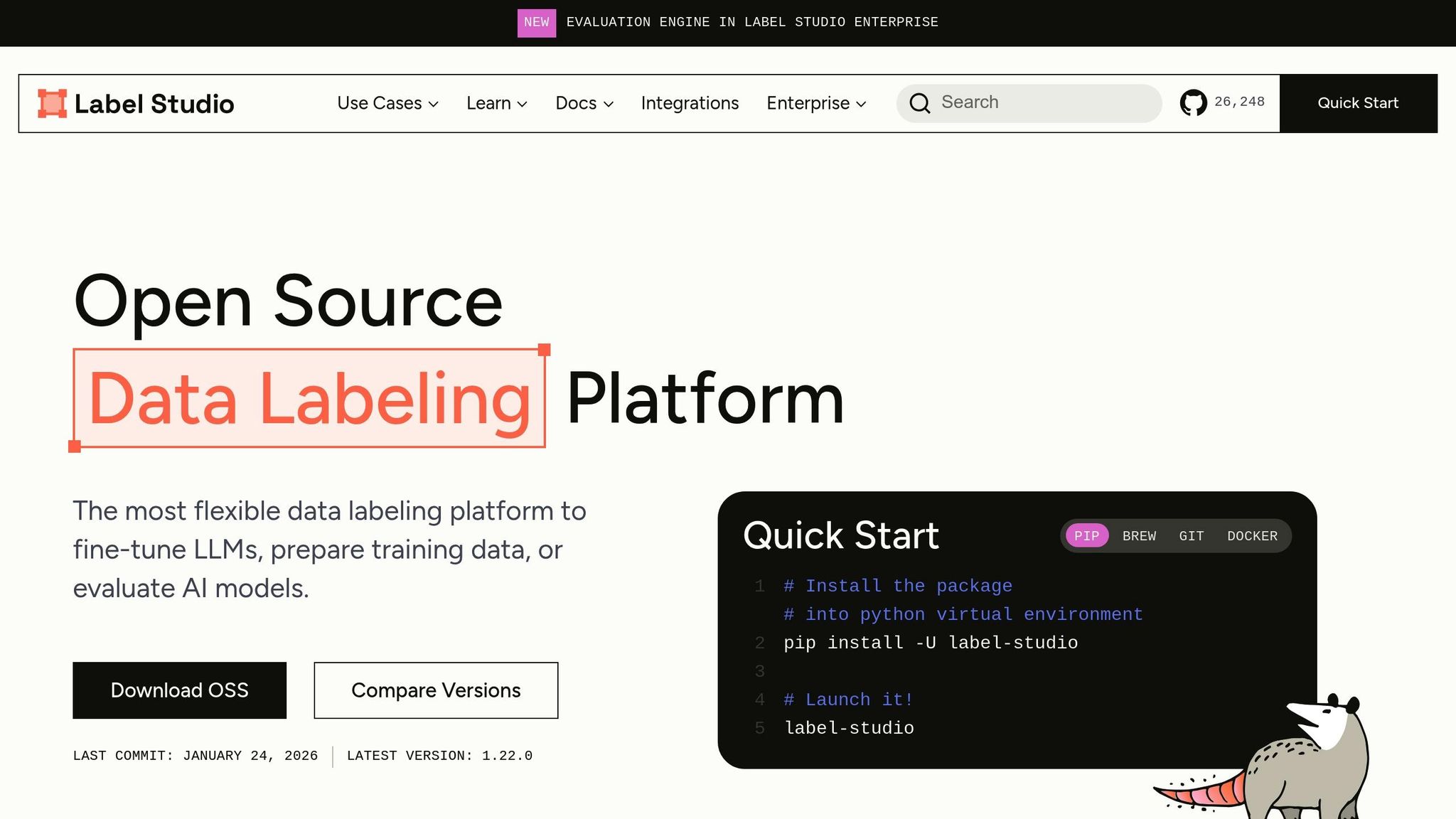
- Label Studio: Open-source platform with robust annotation features. Free Community Edition, with paid tiers for advanced capabilities.
Quick Comparison
| Tool | Key Features | Pricing (Starting) |
|---|---|---|
| Labelbox | Multimodal Chat, Foundry, AI-assisted reviews | Free, Paid tiers |
| SuperAnnotate | RLHF, Magic Tools, Autotrack | Custom quotes |
| Encord | Video-first, SAM 2, Active Learning | Free, Team, Enterprise |
| CVAT | Open-source, AI-assisted labeling | $33/month |
| V7 (Darwin) | Medical focus, compliance certifications | Free, Paid tiers |
| BasicAI | Large-scale, auto-labeling for 2D/3D | Free, Paid tiers |
| Kili | RLHF, active learning, collaboration tools | Free, $9/month Pro Plan |
| Dataloop | Multi-sensor fusion, active learning | Custom pricing |
| Supervisely | Modular pricing, Smart Tool, video support | €199/month |
| Label Studio | Open-source, LLM integration | Free, Paid options |
These tools address the growing demand for accurate, scalable, and efficient multi-modal data labeling. Whether you're working on autonomous systems, medical imaging, or generative AI, the right platform can save time and improve outcomes.
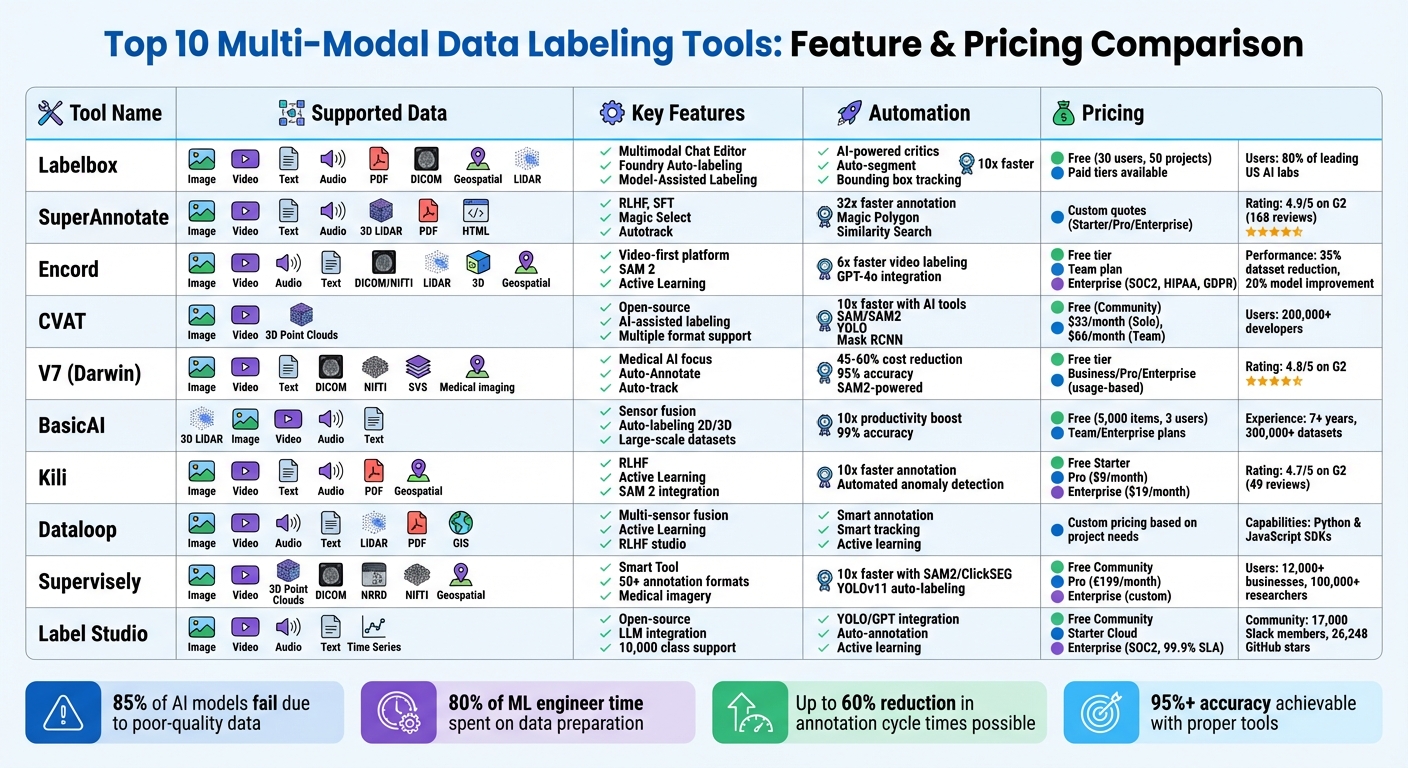
Multi-Modal Data Labeling Tools Comparison: Features, Pricing & Capabilities
Label Studio: The Easiest Way To Annotate Your Datasets
1. Labelbox
Labelbox is a versatile platform trusted by 80% of the leading AI labs in the U.S.. It supports a wide range of tasks, from simple image classification to advanced multimodal chat evaluations, making it a go-to choice for teams working with diverse data types.
Supported Modalities
Labelbox handles various data formats, including images, videos, text, PDF documents, tiled geospatial data, medical imagery (DICOM), and audio. It also supports sensor data like LiDAR, GPS, and radar, which are vital for autonomous vehicle projects. One standout feature is the Multimodal Chat editor, specifically designed for tasks like supervised fine-tuning, reinforcement learning with human feedback, and chatbot evaluations. Additionally, the Label Blocks feature provides an integrated workspace for linking different data types, solving the challenge of aligning these on a unified timeline.
Model-Assisted Labeling Capabilities
Labelbox simplifies data annotation with automation tools that enhance multi-modal alignment. The Foundry feature enables teams to import model predictions as pre-labels or use advanced LLMs to automatically generate annotations. Other tools include auto-segment for creating segmentation masks and bounding box tracking, which follows objects across video frames without manual intervention. Quality assurance is also streamlined with AI-powered critics for tasks like code and grammar checks, while the LLM-as-a-judge feature automates the first pass of quality review. For added context, users can overlay up to 10 image layers, such as thermal and greyscale views, on a single asset.
Collaboration and Team Management Tools
Labelbox offers a centralized workspace where internal teams, external vendors, and its Alignerr expert network - comprising over 1 million knowledge workers, including 50,000+ PhDs - can collaborate in real time. Administrators can assign specific roles and permissions to different user groups, while the Labelbox Monitor dashboard tracks performance metrics and highlights top performers. Customizable multi-step review pipelines allow teams to establish consensus scoring and compare annotations against a "gold standard" to maintain consistent quality.
Pricing Model and Affordability
For smaller teams, Labelbox provides a free tier that supports up to 30 users and 50 projects. The subscription tier removes these limits and includes advanced features like single sign-on (SSO), proactive platform alerts, and unlimited workspaces. Additionally, organizations requiring expert labeling services can access Alignerr Services for more complex generative AI tasks.
2. SuperAnnotate
SuperAnnotate boasts a stellar 4.9/5 star rating on G2 (based on 168 reviews). Users highlight impressive results, including a 60% reduction in annotation cycle times and speeds up to 32 times faster than manual methods.
Supported Modalities
SuperAnnotate supports a wide range of data types, including images, video, text, audio, 3D LiDAR, tiled and multi-layer imagery, PDFs, HTML files, and even live websites. For large language models and generative AI, the platform offers a specialized "Multimodal" project type, enabling tasks like RLHF, SFT, RAG evaluation, and AI agent testing. Additionally, the "Builder" tool lets teams design custom annotation interfaces using drag-and-drop components or templates. These features, combined with advanced automation tools, streamline workflows and improve efficiency.
Model-Assisted Labeling Capabilities
SuperAnnotate’s AI-powered tools take annotation to the next level:
- Magic Select, Magic Polygon, and Magic Box: Deliver instant segmentation, automated polygon creation, and OCR functionality.
- Autotrack: Automatically tracks objects in video projects.
- Pre-annotations: Import predictions from existing models, allowing teams to focus on reviewing and refining instead of starting from scratch.
- Similarity Search: Uses AI embeddings to quickly locate and label related items across massive datasets.
"SuperAnnotate has allowed us to cut over 60% off annotation cycle time. Finding annotation teams was super easy, and because they are all trained on SuperAnnotate, they are able to deliver more accurate annotations much faster than before."
- Ovadya Menadeva, Head of AI & Vision, Percepto
Geoffrey Shmigelsky, CTO of OneCup AI, shared a striking example of efficiency: labeling 1,000 images, which previously required a team of four working for two months, now takes just one week with a single data scientist.
Collaboration and Team Management Tools
SuperAnnotate simplifies team management with role-based access, allowing administrators to assign roles like trainers, data engineers, annotators, and QA specialists. Its multi-level QA workflow ensures clear review cycles with statuses such as "Quality Check", "Return", and "Complete." An in-editor commenting system enables contextual feedback, while real-time performance analytics help managers track progress and pinpoint bottlenecks. For additional support, the platform connects users to a global network of over 400 vetted annotation teams.
"SuperAnnotate's platform is robust and user-friendly. Their Data Operations team is very thorough, proactive, easy to engage, and acts as a valuable extension of Motorola Solutions' data operations."
- Jason Lohner, Senior AI Data Manager, Motorola Solutions
Pricing Model and Affordability
SuperAnnotate offers three pricing tiers designed to accommodate different needs:
- Starter Plan: Ideal for small projects, this plan includes a customizable multimodal editor and essential compute hours.
- Pro Tier: Geared toward scaling MLOps teams, it adds features like single sign-on (SSO), a dedicated Slack channel, and a customer success manager.
- Enterprise Plan: Tailored for high-volume projects, this option includes advanced analytics, a dedicated solutions engineer, and AI DataOps consulting.
3. Encord
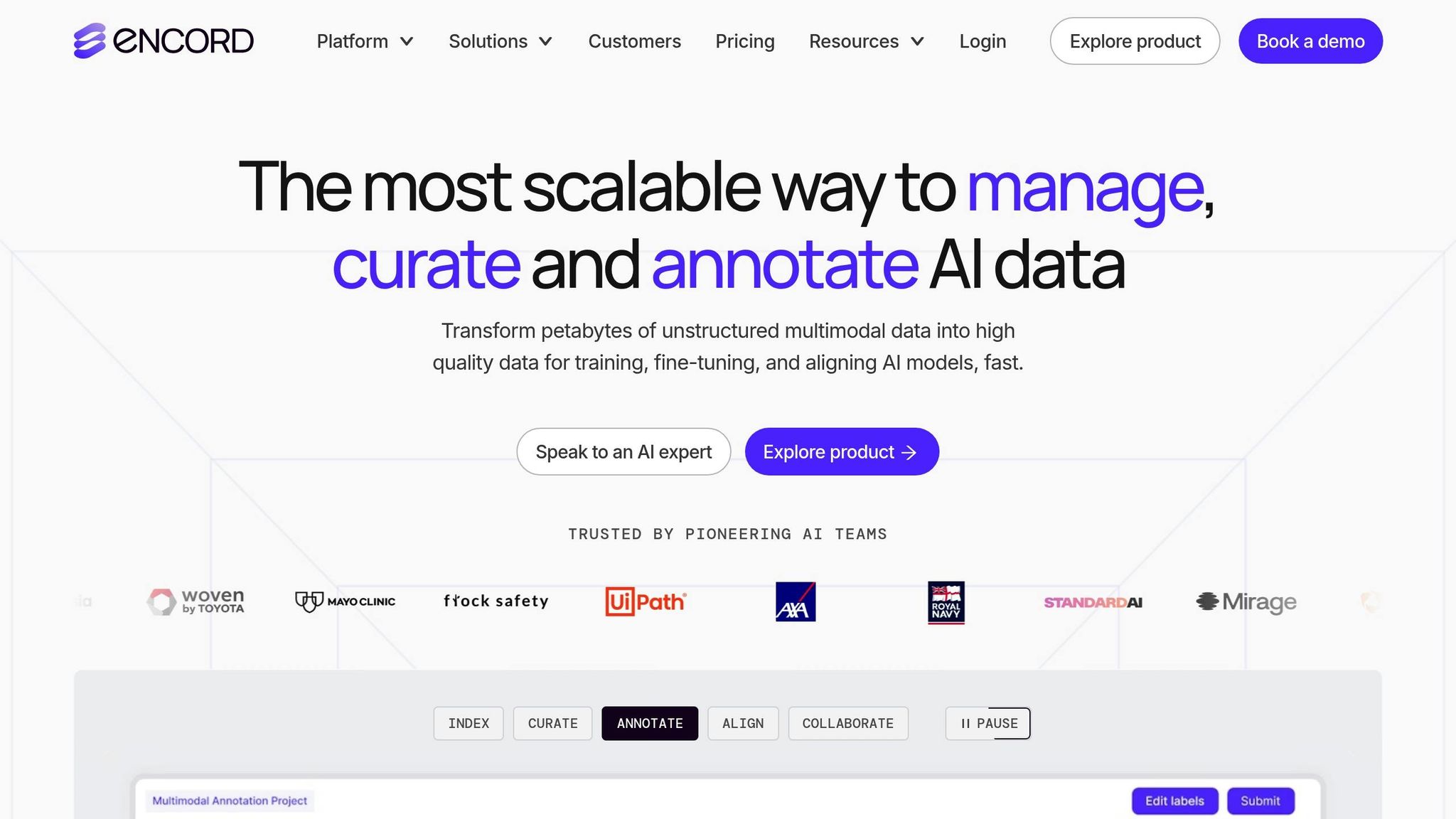
Encord is designed with a video-first approach, making it versatile enough to handle a wide range of data types. It supports images, videos, audio, text, PDFs, DICOM/NIfTI medical imaging, LiDAR, 3D point clouds, HTML files, ECGs, and geospatial data. Its Multimodal Annotation Editor enables teams to work with and annotate multiple data types simultaneously - imagine reviewing a PDF report side-by-side with a video or a medical scan, all within one seamless interface. Below, we’ll dive into its supported data types, AI-driven labeling tools, collaboration features, and pricing options.
Supported Modalities
Encord supports a variety of data formats, including images, videos, audio, text, PDFs, medical imaging (DICOM/NIfTI), LiDAR, 3D point clouds, HTML files, ECGs, and geospatial data. Medical teams, such as those at Cedars-Sinai, use its QA workflows to refine diagnostic AI. The Encord Index tool stands out by employing natural language search, allowing users to organize billions of files in just seconds. By focusing on the most relevant data, teams have reported a 35% reduction in dataset size, with some achieving up to a 20% boost in model performance.
Model-Assisted Labeling Capabilities
Encord integrates leading AI technologies like SAM 2, GPT-4o, and Gemini to streamline pre-labeling and segmentation tasks. Its video-centric design, featuring automated interpolation and object tracking, speeds up video labeling by a factor of six. For instance, Hudl accelerated its model deployment process by 60%, while Standard AI saved $600,000 annually by using Encord.
"Successful state-of-the-art models require highly sophisticated infrastructure. Encord Index is a high-performance system for our AI data, enabling us to sort and search at any level of complexity."
- Victor Riparbelli, Co-Founder and CEO, Synthesia
Collaboration and Team Management Tools
Encord’s collaboration tools are built for efficiency. It offers customizable, multi-stage review workflows with role-based access, real-time performance analytics, and consensus scoring to pinpoint bottlenecks and maintain top-notch annotation accuracy. For high-stakes applications like autonomous driving or medical imaging, consensus workflows allow multiple annotators to label the same data, ensuring agreement and reliability. Pickle Robot, for example, saw a 30% boost in annotation accuracy after adopting Encord’s integrated platform.
Pricing Model and Affordability
Encord provides flexible pricing options to suit different needs:
- Free: For basic requirements.
- Team: Ideal for medium-scale operations, including analytics and model evaluation tools.
- Enterprise: Designed for advanced needs, offering features like SOC2, HIPAA, and GDPR compliance, SSO, multiple workspaces, and managed Labeling-as-a-Service through its Accelerate program.
Whether you're a small team or a large enterprise, Encord offers a tailored solution to fit your goals.
4. CVAT
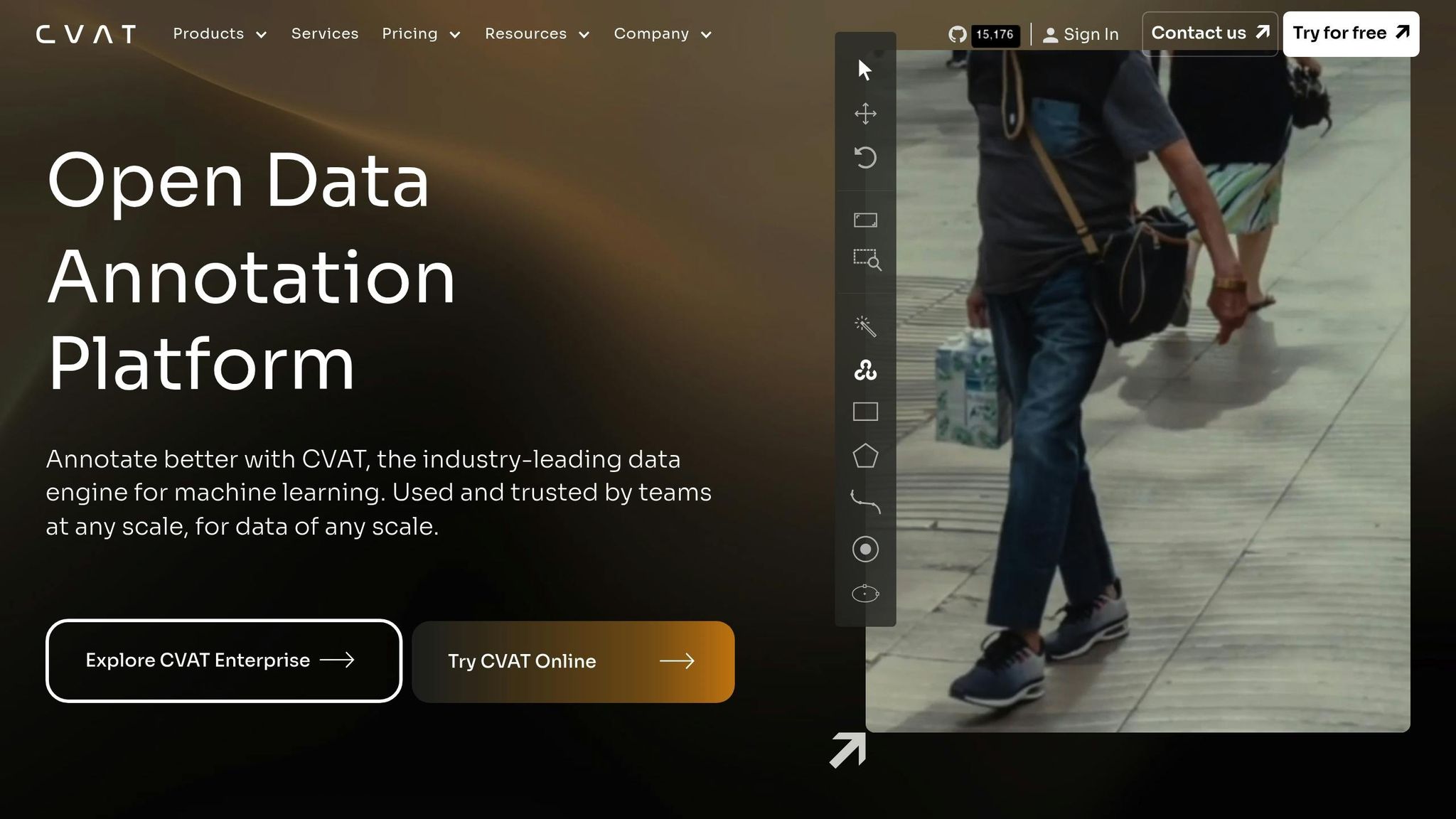
CVAT (Computer Vision Annotation Tool) is a widely-used open-source platform for labeling visual data, trusted by more than 200,000 developers. Tailored for visual data projects, CVAT focuses on image, video, and 3D data annotation, making it a strong choice for computer vision tasks. However, it does not support text or audio annotations. The platform is compatible with a variety of formats: images supported by Python's Pillow library (like JPEG, PNG, BMP, GIF, and TIFF), video formats via ffmpeg (such as MP4, AVI, and MOV), and 3D data in .pcd and .bin formats, which are particularly useful for LiDAR applications.
Supported Modalities
CVAT supports a wide range of annotation formats, including COCO, YOLO, Pascal VOC, and KITTI, across images, videos, and 3D point clouds. It allows seamless integration of 2D images and 3D point clouds within a single workflow, which is especially useful for projects like autonomous driving that require combining camera footage with LiDAR data. Chris Hall, a Computer Vision Engineer at Vivint Smart Home, shared his experience:
"CVAT supports the widest variety of computer vision annotation tasks of any tool we have used or evaluated... classification, tracking, object detection, pose, attributes, and more!"
Model-Assisted Labeling Capabilities
CVAT incorporates advanced AI tools designed to significantly speed up the annotation process - potentially by up to 10 times. It offers three types of AI assistance:
- Interactors: Tools like SAM and SAM2 for interactive labeling.
- Detectors: Models such as YOLO and Mask RCNN for object detection.
- Trackers: Options like SiamMask and TransT for tracking objects in videos.
For video annotation, users can choose between interpolation for stable footage and AI trackers for more dynamic sequences. Additionally, CVAT Online integrates with platforms like Hugging Face and Roboflow, enabling users to deploy custom models tailored to their specific needs.
Collaboration and Team Management Tools
CVAT's Organization Management system simplifies team collaboration by centralizing control over projects and tasks. Administrators can assign specific roles and permissions using role-based access controls. Tasks are automatically broken into smaller "Jobs", which move through stages like Annotation, Validation, and Completion.
Quality assurance features include a dedicated Review mode, Ground Truth jobs to ensure accuracy, and Honey Pot tasks for quality checks. Performance analytics track key metrics such as annotator working hours and objects labeled per hour, helping teams identify bottlenecks and improve efficiency. This collaborative structure is designed to handle large-scale, multi-modal annotation projects with ease.
Pricing Model and Affordability
CVAT offers flexible pricing options to cater to various needs:
- CVAT Community: Free and open-source for self-hosting.
- CVAT Online Solo: $33/month ($23/month with an annual plan).
- Team plans: Start at $66/month for two users ($46/month annually), with additional seats costing $33/month.
- CVAT Enterprise: Designed for larger organizations, offering features like SSO, audit logs, and dedicated support, starting at approximately $12,000/year.
These options make CVAT accessible for individuals, small teams, and large enterprises alike. Up next, a feature comparison table will help you evaluate CVAT alongside other leading tools.
5. V7 (Darwin)
V7 (Darwin) is a multi-modal annotation platform designed for complex projects. With an impressive G2 rating of 4.8/5, it combines AI-powered tools with a user-friendly interface that caters to both technical experts and non-technical users. The platform is particularly well-suited for medical AI and video projects, where accuracy and compliance are non-negotiable.
Supported Modalities
V7 accommodates a wide range of data types, including images, videos, text, and specialized medical formats. For standard visual data, it supports common image formats and long videos - handling up to 100,000 frames. It stands out in medical and scientific applications by offering support for formats like DICOM, NIfTI, and SVS, as well as microscopy data. Text annotation features include capabilities for RLHF (Reinforcement Learning from Human Feedback), SFT (Supervised Fine-Tuning), and LLM evaluation, alongside support for PDFs and architectural drawings. Notably, one-third of specialized video and audio AI labs rely on V7 for multi-modal tasks. While it’s not primarily a LiDAR tool, it does support 3D medical volumes through DICOM and NIfTI formats. This extensive support underpins its advanced automation capabilities for labeling.
Model-Assisted Labeling Capabilities
V7 takes a "Model-in-the-loop" approach, integrating both built-in and external models for pre-labeling and quality assurance. Key features include SAM2-powered Auto-Annotate for precise segmentation, Auto-track for consistent object tracking across video frames, and a "Find Similar" tool for identifying and labeling repetitive objects automatically. A standout example of its impact comes from a 2020 partnership between the Manufacturing Technology Centre and the Nuclear Decommissioning Authority. By switching from an open-source tool to V7 Darwin, Mark Robson’s team achieved a 9–10x increase in labeling speed for a dataset of over 600 images, each containing up to 12 objects. On average, customers report a 45–60% reduction in total costs and a 95% accuracy rate in training data production.
Collaboration and Team Management Tools
V7 offers a visual, no-code workflow builder with stages like Dataset, Annotate, Review, Model, Webhook, Consensus, and Logic. The Consensus stage measures agreement among annotators or compares human performance with AI models, while the Logic stage enables conditional workflows, sending uncertain annotations back to experts for review. Andrew Achkar, Technical Director at Miovision, highlighted the platform’s impact on team efficiency:
"Visibility on metrics in V7 is very helpful to us, and it's something we didn't have in our internal solution."
The platform also includes real-time collaboration tools, role-based task assignments, and performance dashboards to streamline large-scale projects. With 95.0% uptime and enterprise-grade security certifications such as SOC 2 Type II, ISO 27001, HIPAA, and GDPR compliance, V7 ensures reliability and data protection. These features are further enhanced by flexible pricing options tailored to different needs.
Pricing Model and Affordability
V7 operates on a usage-based subscription model with four main tiers: Free (ideal for individuals and small teams), Business, Pro, and Enterprise. Academic and research teams can benefit from a lifetime-free plan, while commercial pricing for Startup, Business, and Pro plans is available upon request via demo. Additionally, the platform offers on-demand expert labeling services, guaranteeing a 30% productivity boost and reporting cost savings of up to 35% for LLM projects.
6. BasicAI
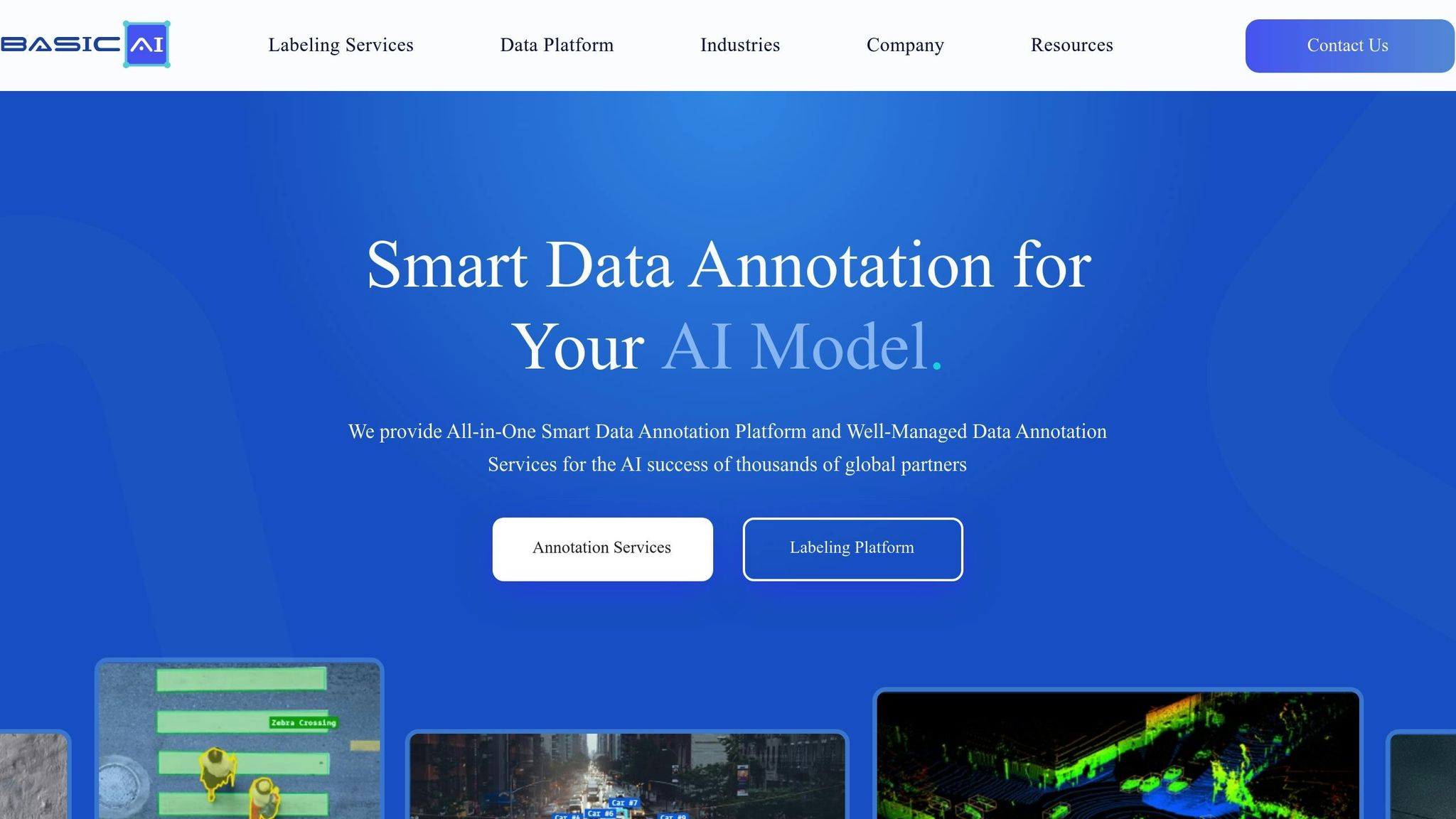
BasicAI has been in the multi-modal data labeling space for over seven years, creating more than 300,000 datasets during that time. With a G2 rating of 4.4/5 based on 36 reviews, the platform caters to both individual engineers and enterprises, offering deployment options via the cloud or on-premises setups.
Supported Modalities
With its wealth of experience, BasicAI supports a wide range of data types, including 3D LiDAR, images, videos, audio, and text, all accessible through a unified platform. Its specialized sensor fusion interface lets users review and adjust data across multiple types and perspectives simultaneously, making it especially useful for applications like autonomous driving and robotics. For text-based AI development, the platform facilitates the creation of RLHF (Reinforcement Learning from Human Feedback) and SFT (Supervised Fine-Tuning) datasets. Impressively, it can handle segmentation of up to 150 million points across 3,000 consecutive frames without lag.
Model-Assisted Labeling Capabilities
BasicAI's AI-driven tools are designed to automate repetitive tasks such as object tracking, segmentation, and speech transcription across all supported data types [55,57]. Key features include auto-labeling for both 2D and 3D objects, smart ground and lane detection, and automated 3D semantic segmentation. Engineers have reported a productivity boost of up to 10× using these tools. To ensure high-quality results, the platform combines AI-powered checks with batch QA rules, achieving over 99% accuracy in labeling.
Collaboration and Team Management Tools
BasicAI is scalable, supporting projects ranging from solo efforts to teams of up to 1,000 members. Project managers can create custom pipelines with multiple stages, including annotation, up to five review steps, and a final inspection phase. The platform employs role-based access control, assigning roles such as Team Admins, Task Admins, Annotators, Reviewers, and Inspectors to streamline permissions [60,62]. Large datasets can be split into smaller batches and distributed among internal teams or external partners via unique Partner Team IDs. Real-time analytics and comment tagging further enhance quality assurance and communication [59,60]. Unlike crowdsourcing, BasicAI works with a curated network of over 160 global annotation teams to handle large-scale projects efficiently.
Pricing Model and Affordability
BasicAI provides a Free Plan that includes 5,000 items and access for three users [58,7]. For more collaborative needs, the Team Plan offers standard pricing, while Enterprise and On-Premises plans are customized based on annotation requirements, data complexity, and deployment preferences [55,56]. Private deployment options allow for flexible scaling, with the ability to add seats, storage, and model calls as needed. Interested users can also request a free pilot dataset or platform demo before committing [56,27].
sbb-itb-cdb339c
7. Kili
Kili Technology holds an impressive G2 rating of 4.7/5, based on 49 user reviews. This platform is designed to help teams create high-quality training data much faster than traditional methods.
Supported Modalities
Kili supports a wide range of data types, including images, videos, text, audio, PDF/OCR documents, and geospatial imagery. This versatility makes it a go-to solution for various AI projects, whether you're working on document processing or geospatial analysis. The platform is also scalable, accommodating teams of all sizes - from a single user to over 500 collaborators. These features position Kili as a powerful tool for advanced labeling and efficient teamwork.
Model-Assisted Labeling Capabilities
Kili integrates the Segment Anything Model 2 (SAM 2), which can speed up image annotation by up to 10 times compared to manual efforts. Users can also connect their own custom models for pre-labeling, further streamlining the annotation process. Active learning features help prioritize uncertain data points for human review, ensuring focus is placed where it’s needed most. For video annotation, automated object tracking ensures consistency across frames, saving time and boosting productivity.
In January 2026, LCL Bank in France leveraged Kili to automate its Know Your Customer (KYC) processes. By doing so, they processed millions of ID documents and DPE forms in just weeks instead of months. Axel Cypel, an AI Expert at LCL, shared:
"Thanks to the fact that our AI infrastructure now includes Kili Technology, we can use the tool for all kinds of projects... LCL teams can accelerate drastically the creation of their training datasets."
Additionally, Enabled Intelligence selected Kili over 35 other platforms and achieved a jump in accuracy from 95% to 99% while processing millions of geospatial labels for military and commercial applications.
Collaboration and Team Management Tools
Kili doesn’t just speed up annotation - it also streamlines team collaboration. The platform offers role-based access control with predefined roles like Admin, Reviewer, and Labeler. It automatically distributes tasks so that each annotator works on unique assets, avoiding redundant efforts. Annotators can flag edge cases, and reviewers can send labels back for revisions with detailed comments.
Kili's quality management features include consensus scoring to measure agreement among annotators, honeypots for testing against gold-standard data, and automated anomaly detection. A dedicated analytics dashboard tracks project performance metrics such as team velocity and labeling stats, which can be exported as CSV files. For added convenience, the platform supports Single Sign-On (SSO), making it easy to integrate with external workforce management tools.
Covéa, a leading mutual insurer in France, used Kili to analyze 1.5 million unstructured customer comments across more than nine projects, involving over 60 users. Phileas Condemine, Data Science Lead at Covéa, remarked:
"With the choice of Kili, we are much more confident about the future. We decided to eliminate a large part of the technical debt by choosing a solution that will be perfectly mastered across a whole range of data science and AI projects."
Pricing Model and Affordability
Kili offers a range of pricing options to suit different needs. The free Starter plan includes 1 workspace, up to 3 users, 2 active projects, and 500 MB of storage. The Pro plan, priced at $9/month, provides 1 workspace, up to 10 users, unlimited projects, and 100 GB of storage. For larger teams or more complex requirements, the Enterprise plan starts at $19/month and includes customizable features. Annual billing comes with a 20% discount, and a free community version is available for smaller teams or those just starting out.
8. Dataloop
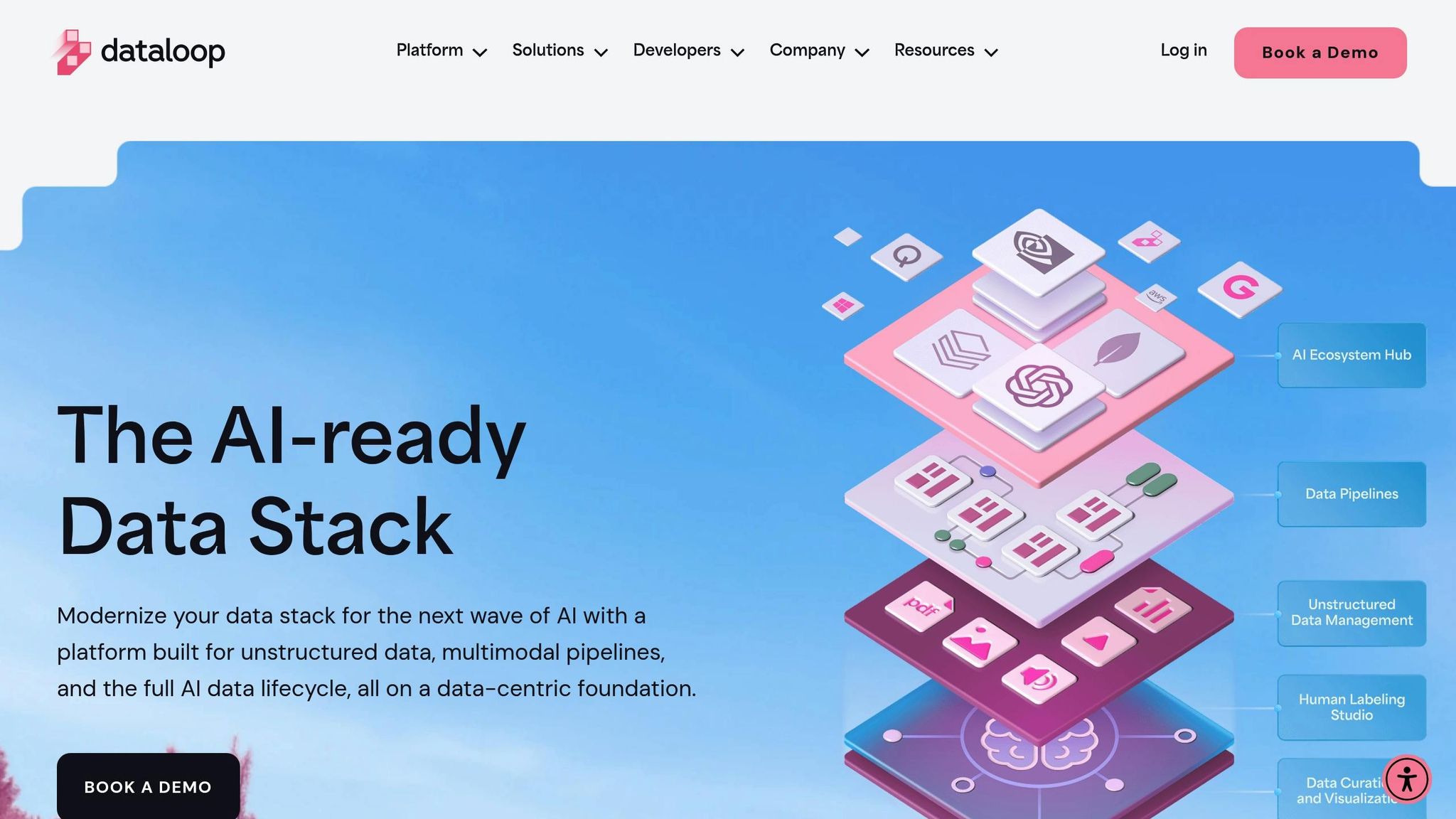
Dataloop offers extensive data support and automation across a variety of formats, making it a go-to platform for complex annotation needs. It provides annotation studios for a wide range of modalities, including image, video, audio, text, LiDAR (3D), PDF, GIS, and RLHF (Reinforcement Learning with Human Feedback).
Supported Modalities
One standout feature of Dataloop is its ability to handle multi-sensor fusion, combining LiDAR point clouds with images - a key capability for applications like autonomous vehicles. For image annotation, Dataloop includes tools like bounding boxes, polygons, key points, and semantic segmentation. Video annotation supports frame-by-frame object tracking and interpolation, while audio annotation offers segmentation and speaker diarization. Text annotation tools cover tasks such as Named Entity Recognition (NER) and sentiment analysis. Additionally, the RLHF studio enables human preference labeling, which is crucial for training large language models. Developers can also create custom annotation studio applications using Python and JavaScript SDKs. Together, these features provide a strong framework for automating labeling processes effectively.
Model-Assisted Labeling Capabilities
Dataloop enhances its annotation tools with AI-driven features designed to save time and effort. By automating the initial labeling process, the platform significantly reduces the manual workload. Features like smart annotation for instance segmentation and smart tracking for video annotations help annotators work more efficiently. Its active learning tools further refine the process by prioritizing data that can most improve model performance. Ido Ariav, AI Team Leader at Elbit Systems, shared:
"Dataloop has helped us transform a complex computer vision data annotation challenge into an intuitive and efficient one. Thanks to their automation platform, our labeling has dropped exponentially, even while we see significant improvement in accuracy."
Collaboration and Team Management Tools
Dataloop doesn’t just focus on automation - it also simplifies team coordination with robust management tools. The platform categorizes team roles into three main types: Task Owners (project managers), Task Managers (annotation managers), and Annotators (labelers/reviewers). Tasks can be distributed in two ways: through a "Pulling" method, where annotators choose batches themselves, or "Distribution", where tasks are pre-assigned. To maintain high-quality outputs, Dataloop incorporates features like Consensus tasks to measure agreement scores, Qualification tasks to test annotators against ground-truth data, and an issue tracking system for flagging problematic annotations. David Lempert, Head of R&D at Foresight, commented:
"The team at Dataloop provide a powerful platform with a suite of tools. Their data quality workflows enable us to accurately run road segmentations, lane detection and moving object video tracking."
9. Supervisely
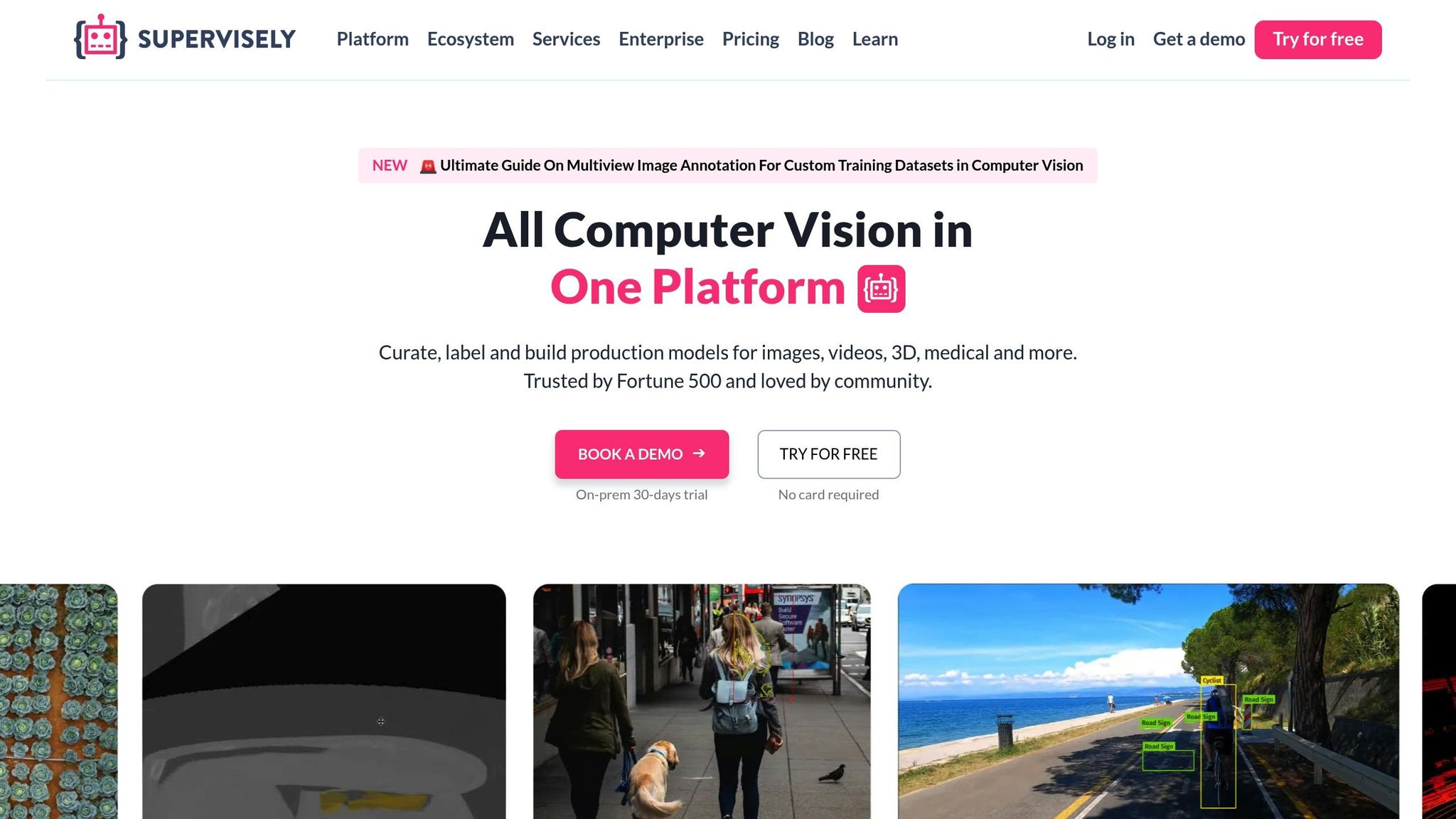
Supervisely is a computer vision platform that's been a go-to choice for over 12,000 businesses and 100,000 researchers since its launch in 2017. With more than 220 million images and over a billion labels hosted on its online platform, Supervisely stands out as a leader in multi-modal annotation solutions.
Supported Modalities
Supervisely supports a wide range of data types for annotation:
- Image labeling: Works with formats like .jpg, .png, high-resolution images, multi-spectral imagery, and multi-view annotations.
- Video labeling: Allows teams to annotate raw, hours-long videos without breaking them into frames. Features like multi-track timelines and object tracking make video annotation seamless.
- 3D point clouds: Handles LiDAR and RADAR data with sensor fusion for synchronized photo and video analysis.
- Medical imagery: Supports formats like DICOM, NRRD, and NIfTI, offering volumetric slices and 3D perspective views for detailed medical data annotation.
- Geospatial data: Provides tools for annotating satellite and aerial imagery while supporting more than 50 annotation formats for seamless integration with existing datasets.
These capabilities are further enhanced by advanced model-assisted tools that boost efficiency and precision.
Model-Assisted Labeling Capabilities
Supervisely combines its versatile data handling with AI-powered tools to speed up and improve annotations. The "Smart Tool" feature uses cutting-edge models like SAM2, ClickSEG, and RITM to make interactive segmentation up to 10 times faster than manual methods. For auto-labeling, models like YOLOv11, RT-DETRv2, and OWL-ViT can annotate thousands of assets in seconds, with fine-tuning improving mIoU (mean Intersection over Union) from 62.4% to 94.9%.
An example of its real-world application is BMW Group, which has used Supervisely since 2019 to annotate images from its production lines for AI-driven quality inspections. Mike Slembrouck, BMW’s CTO, shared:
"The review tools have been invaluable in ensuring the quality and accuracy. The Python SDK has also been incredibly helpful in automating and streamlining our workflow".
Collaboration and Team Management Tools
Supervisely simplifies teamwork through its Teams and Workspaces structure. Managers can assign "Labeling Jobs" to hundreds of annotators at once, while role-based access controls ensure data security by limiting access to specific datasets or tools. Quality assurance is supported by multi-step review processes, annotator skill assessments via labeling exams, and a GitHub-like issue tracking system to monitor progress and resolve problems.
Pricing Model and Affordability
Supervisely offers flexible pricing to match its extensive features:
- Community Edition: Free for individuals and small teams, includes 5 GB of storage, a 10,000 file limit, and 500 Smart Tool requests daily.
- Pro Edition: Starts at €199/month ($211/month), offering 50 GB of storage, a 50,000 file limit, and 5,000 Smart Tool requests per day.
- Specialized Add-Ons: Available for €99 to €399 per month ($105 to $423), covering advanced features for specific modalities like videos, medical imagery, and 3D point clouds.
- Enterprise Edition: Custom pricing for unlimited storage and file capacities, available for self-hosted or cloud-hosted setups.
Unlike many competitors, Supervisely’s pricing is based on modules and concurrent users, not the number of labeled objects, offering more flexibility for diverse project needs.
10. Label Studio
Label Studio is an open-source platform designed for multi-modal data labeling, supported by a thriving community - with 17,000 Slack members and 26,248 GitHub stars as of January 2026. It’s built to handle a variety of data types, making it a strong choice for those working with complex annotation tasks.
Supported Modalities
This platform supports text, images, audio, video, and time series data. It’s particularly effective for tasks that combine multiple data types, like OCR (image and text) or dialogue processing (audio and text). For image labeling, tools include rectangles, ellipses, polygons, keypoints, and brush masks. It even allows a two-step workflow where one user defines regions and another assigns labels. Video annotation features include frame-by-frame object tracking with automatic bounding box interpolation. Additionally, it supports up to 10,000 classes for NLP classification tasks, making it highly scalable.
Model-Assisted Labeling Capabilities
Label Studio integrates with custom machine learning models like YOLO and GPT, enabling interactive pre-annotations and auto-labeling. These features allow annotators to focus on refining and validating data rather than starting from scratch. The Auto-Annotation tool suggests regions, masks, or keypoints to speed up workflows. For enterprise users, advanced features include automated pre-labeling using large language models and active learning loops to prioritize the most critical data for review.
Collaboration and Team Management Tools
To ensure smooth teamwork, Label Studio locks tasks during annotation to prevent accidental overwrites. It offers role-based access control (RBAC), task assignment, and multi-stage review workflows, all designed to streamline collaboration. Overlap settings can be configured to require multiple annotations per task, ensuring consensus and quality control. Additional tools like in-platform comments, a history panel for tracking changes, and the Outliner tool for managing regions and labels further enhance team efficiency.
Pricing Model and Tiers
Label Studio offers three pricing tiers. The Community Edition is free and can be self-hosted using PIP, Docker, or Brew. The Starter Cloud tier provides additional features, while the Enterprise Edition includes advanced options like single sign-on, SOC2 compliance, automated pre-labeling with large language models, active learning loops, and a 99.9% uptime SLA.
Feature Comparison Table
Here's a quick breakdown of some popular platforms to help you decide on the right multi-modal data labeling tool:
| Tool | Supported Data Types | Automation Tools | Pricing Structure |
|---|---|---|---|
| Labelbox | Image, Video, Text, Audio, Geospatial, HTML, LLM | Model-Assisted Labeling (MAL), Foundry auto-labeling, AI-Assisted Reviews | Free: 500 LBUs, 30 users, 50 projects; Starter: pay-as-you-go; Enterprise: custom |
| SuperAnnotate | Image, Video, Text, 3D, LLM (RLHF/SFT) | Auto-segmentation, Bring Your Own Model (BYOM) | Custom quotes for all tiers (Starter/Pro/Enterprise) |
| Encord | Image, Video, Audio, Text, DICOM, 3D/LiDAR, HTML | SAM 2 integration, Micro-models, Active Learning | Free Starter tier, Team: subscription, Enterprise: custom |
| Unitlab AI | Image, Video, Text, Audio, Medical | Magic Touch, Batch Auto-Annotation | Free: 3 users, 5,000–10,000 images; Active: $99/month; Pro: $195/month; Enterprise: custom |
| Mindkosh | LiDAR, Radar, RGB, Thermal, Depth, Text | 3D cuboid projection, Mask propagation | Standard Image: ~$350/1,000 credits; Standard LiDAR: ~$700/1,000 credits + $200/month fee |
| Label Studio | Image, Video, Audio, Text, Time Series | LLM-as-a-Judge, Pre-built templates | Free Community Edition, Starter Cloud, Enterprise: custom |
Some platforms stand out for their efficiency boosts. For instance, SuperAnnotate reports up to a 32× increase in productivity, while Encord claims their AI-assisted tools can speed up high-quality labeling by 10×. Unitlab AI's Magic Touch tool is said to make labeling up to 15× faster compared to manual methods.
When it comes to pricing, it's important to match your choice to your team's needs. For example, Labelbox's free tier accommodates up to 30 users and 50 projects, while Unitlab AI's free plan is limited to 3 users and supports 5,000–10,000 images. Mindkosh operates on a credit-based system, charging approximately $350 for 1,000 image labeling credits and $700 for 1,000 LiDAR credits, with an additional $200 monthly subscription fee.
Conclusion
Choosing the right multi-modal data labeling tool is a critical step for production success. Many multimodal models falter in real-world applications because their training data fails to reflect the complex combinations of images, audio, text, and sensor data they encounter. Analysts estimate that as much as 85% of AI models fail due to poor-quality data, making your choice of labeling platform a key factor in your AI project's outcomes.
Using an unsuitable tool often forces teams to juggle multiple systems, leading to misaligned data and inefficiencies. With machine learning engineers reportedly spending over 80% of their time on data preparation and labeling, it's vital to select a platform that seamlessly integrates image, audio, text, and sensor data while reducing manual effort through automation. For instance, if a car detected in a LiDAR point cloud needs to be matched with the same car in an RGB image - even when partially obscured - your labeling tool must maintain these semantic connections. This is essential for ensuring consistent and high-quality data across all formats.
Platforms offer flexibility to match your needs, from free tiers for small teams to enterprise-level options with SOC 2 Type II, HIPAA, or GDPR compliance. These options allow teams to scale their operations while adhering to necessary regulatory standards.
For organizations with limited in-house resources, platforms like Data Annotation Companies can connect you with trusted AI service providers. Whether you require domain experts for medical imaging, managed workforces for large-scale projects, or specialized teams for tasks like LiDAR and sensor fusion, this resource helps you find the right partner for your multimodal labeling needs.
FAQs
What should I look for in a multi-modal data labeling tool?
When selecting a multi-modal data labeling tool, it’s important to prioritize features that align with the complexity of your AI projects. One key factor is support for multiple data types - whether you’re working with images, videos, text, audio, or sensor data, the tool should enable consistent and efficient annotation across all formats.
You’ll also want to consider tools that incorporate AI-assisted automation alongside human-in-the-loop workflows. These features can significantly speed up the labeling process while maintaining the level of accuracy required for large datasets. An easy-to-use interface is another must-have, as it fosters collaboration, simplifies data management, and ensures compliance with security standards - especially crucial in fields like healthcare or autonomous vehicles where data sensitivity is a concern.
To sum it up, choose a tool that can handle diverse data types, streamline your workflows, and provide a secure, collaborative environment tailored to your project’s demands.
What are the benefits of using model-assisted labeling for data annotation?
Model-assisted labeling streamlines the data annotation process by blending AI-driven automation with human supervision. Essentially, AI takes on the initial labeling tasks, cutting down the time and effort required from human annotators. This collaborative method not only speeds up the creation of datasets but also helps reduce errors that can occur with purely manual labeling.
A key feature of these systems is their use of active learning and iterative feedback loops. This means the AI gets smarter over time, requiring less human intervention as it learns from corrections. These tools are especially useful for managing large, complex datasets - whether it's images, videos, or text - making them a game-changer for organizations aiming to accelerate the development of AI applications.
What are the pricing options for multi-modal data labeling tools?
Multi-modal data labeling tools come with pricing structures designed to accommodate various project scales and budgets. For smaller projects, many platforms offer pay-as-you-go models, which allow users to begin with minimal upfront investment. Some even include free initial labeling units or trial periods, making it easier to test the waters before committing.
For larger or enterprise-level projects, platforms typically provide custom pricing plans. These often include perks like dedicated customer support, advanced AI-driven workflows, and discounts for high-volume usage. Additionally, tiered subscription plans are available, catering to both small teams and organizations aiming to expand their AI efforts. This range of pricing options ensures that businesses, regardless of size, can find a solution tailored to their needs.